
Aug 2025
LinkedIn is your online credibility – make sure it is correct
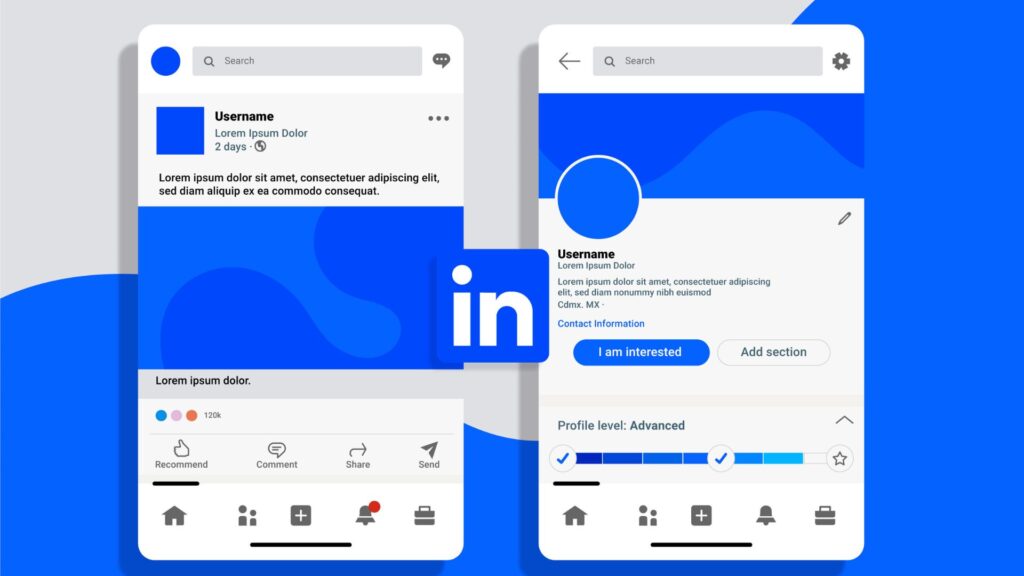
These days, people don’t ask for your business card first. They Google you. And nine times out of ten, the first serious result they’ll click is your LinkedIn profile. It has quietly become the default place for sizing up professionals, recruiters, clients, potential employers, even collaborators. If your LinkedIn page looks half-finished, outdated, or worse, like you haven’t touched it in years, that’s the impression you’re giving about your work too. Unfair? Maybe. But in today’s world, credibility starts online. And LinkedIn is your stage. Why LinkedIn Holds So Much Weight Numbers tell the story. More than a billion people are on LinkedIn. Every minute, eight people land a job through the platform. Profiles with strong photos and complete details get exponentially more views and messages than empty shells. But beyond statistics, it’s about trust. Think of LinkedIn as a modern handshake. Before anyone sets up a meeting, hires you, or chooses to work with your company, they’ll glance at your profile. What they see there often decides whether they even reply to your email. The Bare Minimum Every Profile Needs Surprisingly, many professionals still leave the basics unfinished. Here are the essentials (no shortcuts here): A photo that looks professional. Doesn’t need to be studio-shot. Just clear, well-lit, you facing the camera. A headline with purpose. Not just “Manager at X.” Use those 220 characters to spell out what you actually do and the value you bring. An About section with some life. A short story, not a copy-paste résumé. Tell people what drives you. Experience written as impact. Don’t just list tasks. Share outcomes. Example: “Grew client base by 30%” hits harder than “responsible for sales.” Relevant skills. Less is more. Pick skills you’d actually want to be endorsed for. It sounds simple, but you’d be surprised how many profiles skip even these. Going from “Good Enough” to Optimized Once the foundation is right, you can add layers that make your profile stand out: Custom URL. A clean link looks sharp on CVs, emails, and business cards. Media samples. Upload PDFs, links, case studies, or videos. Show, don’t just tell. Recommendations. Two or three genuine testimonials beat dozens of vague endorsements. Keyword thinking. Sprinkle terms your industry searches for in your headline and About section. Recruiters literally use LinkedIn like a search engine. Consistency. Keep tone, visuals, and messaging aligned with the professional brand you want people to remember. Optimization isn’t about stuffing fluff. It’s about making sure you show up in searches and that your page builds trust once someone lands there. Where AI Can Save Hours The tricky part is writing. Crafting an About section that sounds polished but not fake, turning job descriptions into achievement-driven bullets, balancing personality with professionalism… it’s harder than it looks. That’s why tools like the LinkedIn Profile Enhancer Agent on ActionAgents exist. Instead of spending a weekend rewriting your whole profile, you can upload your CV or your current LinkedIn page. The agent restructures and polishes it, spotlighting achievements, trimming filler, and making sure your profile actually sells your expertise. Think of it like hiring a personal career copywriter, but without the cost or delays. The Mistakes That Hurt More Than You Think A few common slip-ups can tank credibility fast: Using a vacation photo or group shot as your profile picture. Leaving the banner space blank (that wide background is wasted branding real estate). Writing in buzzword bingo style: “Results-oriented, thought leader, dynamic visionary.” Copy-pasting your résumé job descriptions word-for-word. Having dates, job titles, or details that don’t line up with your actual CV. Each one sends small signals that your profile wasn’t thoughtfully built and online, perception is reality. Treat LinkedIn Like a Living Document Your profile isn’t a one-time setup. It should evolve with your career. New role? Update it. Published an article? Add it. Launched a project? Showcase it. Even minor updates once a month tweaking your headline, adding a skill, sharing a post keep your profile active in LinkedIn’s algorithm and signal that you’re engaged. Profiles that sit untouched for years often sink into invisibility. Final Word LinkedIn has become the professional credibility check. Whether you’re chasing a promotion, looking for clients, or building a personal brand, people will look you up. That’s guaranteed. A weak or outdated profile sells you short. A strong, optimized one can open doors before you even speak. The good news is you don’t need to spend hours figuring out what to write tools like the LinkedIn Profile Enhancer Agent make it simple to transform a dusty CV or half-filled profile into something recruiters and clients actually want to read. In other words: LinkedIn is working for you every single day, even when you’re not. Make sure it’s sending the right message.

Jul 2025
Mastering Your ATS-Friendly Resume: How to Create and Optimize Resumes to Beat Applicant Tracking Systems
You’ve got the skills. The experience. The drive. But if your resume can’t get past the corporate bouncer the Applicant Tracking System (ATS) none of it matters. As someone who’s reviewed thousands of resumes (and seen great candidates get ghosted by bots), I’ll show you exactly how to beat the system.Quick truth bomb: 75% of resumes never reach human eyes. Let’s fix yours. What Exactly is an ATS? (And Why It’s Your First Hurdle) Think of ATS software as a picky robot assistant for recruiters. It scans resumes for keywords, formatting, and structure before any human sees them. Get this wrong, and you’re filtered out no matter how qualified you are.Why it’s ruthless:Scans for exact match keywords from job descriptionsHates creative layouts (columns/graphics = parsing errors)Ignores buzzwords like “team player” or “hard worker” Your Step-by-Step ATS Survival Guide 1. Format for Machines First, Humans SecondDo: Use reverse-chronological order (newest job first) Stick to standard headings: “Work Experience,” “Skills,” “Education” Choose boring fonts: Arial, Calibri, or Georgia (10-12pt) Avoid like the plague: Tables, text boxes, or graphics Fancy titles like “My Professional Journey” Real talk: I once had a client’s gorgeous infographic resume parse as blank pages in an ATS. Tragic.2. Speak the Bot’s Language: KeywordsHere’s how to nail this:Steal keywords from the job description (yes, steal)Prioritize:Tools/software (Excel, Salesforce)Certifications (PMP, Google Analytics)Action verbs (managed, developed, optimized)Example:If the job says: “Experience with CRM platforms”Your resume says: “Managed Salesforce CRM for 200+ clients” Pro Hack: Our Resume Analyser scans job descriptions and auto-flags missing keywords like a cheat sheet for every application.3. Skills Section: Keep It Simple, StupidDo this:textTechnical: Python | Google Ads | SEO Management: Budgeting | Cross-Functional Teams | Agile Not this:Python: “Team player” (ATS ignores fluffy phrases) Why it works: Bots scan this section first. Make it machine-readable. 4. Bullet Points Are Your Best FriendFormatting rules that matter:Use “-” or “•” (not fancy icons → ★)Put dates on the right:“Senior Designer, XYZ Co | Jan 2020–Present”Quantify everything:“Increased sales by 30%” > “Helped increase sales” 5. The Final CheckpointsFile type: Save as .docx (PDFs can parse weirdly)Name your file: John_Doe_Marketing_Resume.docxLength: 1 page (<10 yrs exp) / 2 pages (10+ yrs)How Our Tools Do the Heavy LiftingI’ve seen people spend weeks optimizing resumes. Our tools cut this to minutes:Resume Builder:Generates ATS-safe templates (no formatting guesswork)Auto-suggests keywords from any job descriptionBlocks risky elements (tables/graphics)Resume Analyser:Runs an instant ATS simulation (see exactly what bots see)Scores your resume’s bot-friendliness (aim for 90%+)Flags missing keywords before you applyReal Results: Before vs. AfterSarah’s Story (Graphic Designer):BeforeAfter Using Our ToolsTitle: “Creative Unicorn”Title: “Senior Graphic Designer”Skills: “Design stuff”Skills: “Adobe Suite, UX/UI, Figma”Format: Artistic 2-column PDFFormat: Text-only .docxResult: 0 callbacks in 4 weeksResult: 5 interviews in 10 days 3 Non-Negotiables I Tell My Clients Customize EVERY resume (no generic submissions)Numbers > adjectives (“cut costs 20%” > “cost-efficient”)Test before sending (our Analyser’s simulation takes 90 seconds)Wrapping Up: Your Resume Isn’t Dead—It Just Needs a TranslatorATS isn’t going away. But now you’ve got the playbook to make it work for you, not against you. Build clean, keyword-smart resumes, and you’ll start getting calls from jobs you actually want.